The IFA operating system

Run your entire practice on Bloom

Practice management software for UK financial advisers. Manage clients, cashflow, suitability reports and regulatory reporting in one connected workspace.

Built in the UK and used daily by an FCA-regulated firm — Arthur Browns Wealth Management Ltd (FCA no. 825843).

bloomflow.app · Practice tour

Watch the practice tour · fictional demo firm

Built-in fund research

From fund search to side-by-side comparison.

Search by fund name, ISIN or SEDOL. Inspect available performance data and compare funds without leaving your advice workspace.

  1. 01 Find a fund
  2. 02 Explore its performance
  3. 03 Compare your shortlist
bloomflow.app/research/funds
Watch fund research in action · recorded in Bloom, September 2026
How Bloom works

Every feature links back to the raw client data.

Keep client information together so your team can prepare plans, reports and reviews using a shared record.

Keep every client, policy and note in one living record

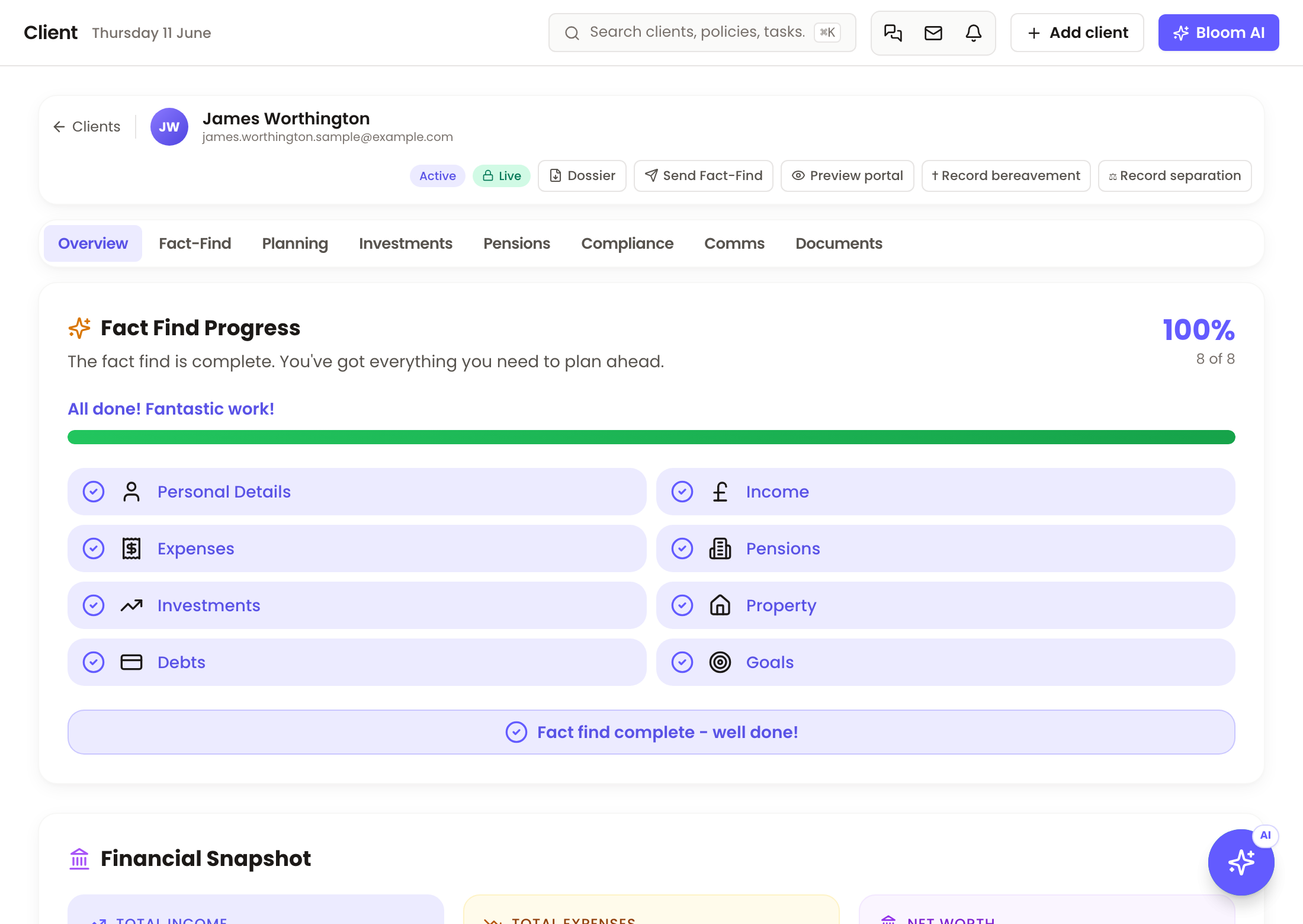
Personal details, pensions, ISAs, property, debts, risk profile and Consumer Duty flags — one shared record with updates from supported integrations. Your team can access notes according to their permissions.

A real Bloom client record — fact-find progress, financial snapshot and linked policies

Model a client's future using their recorded finances

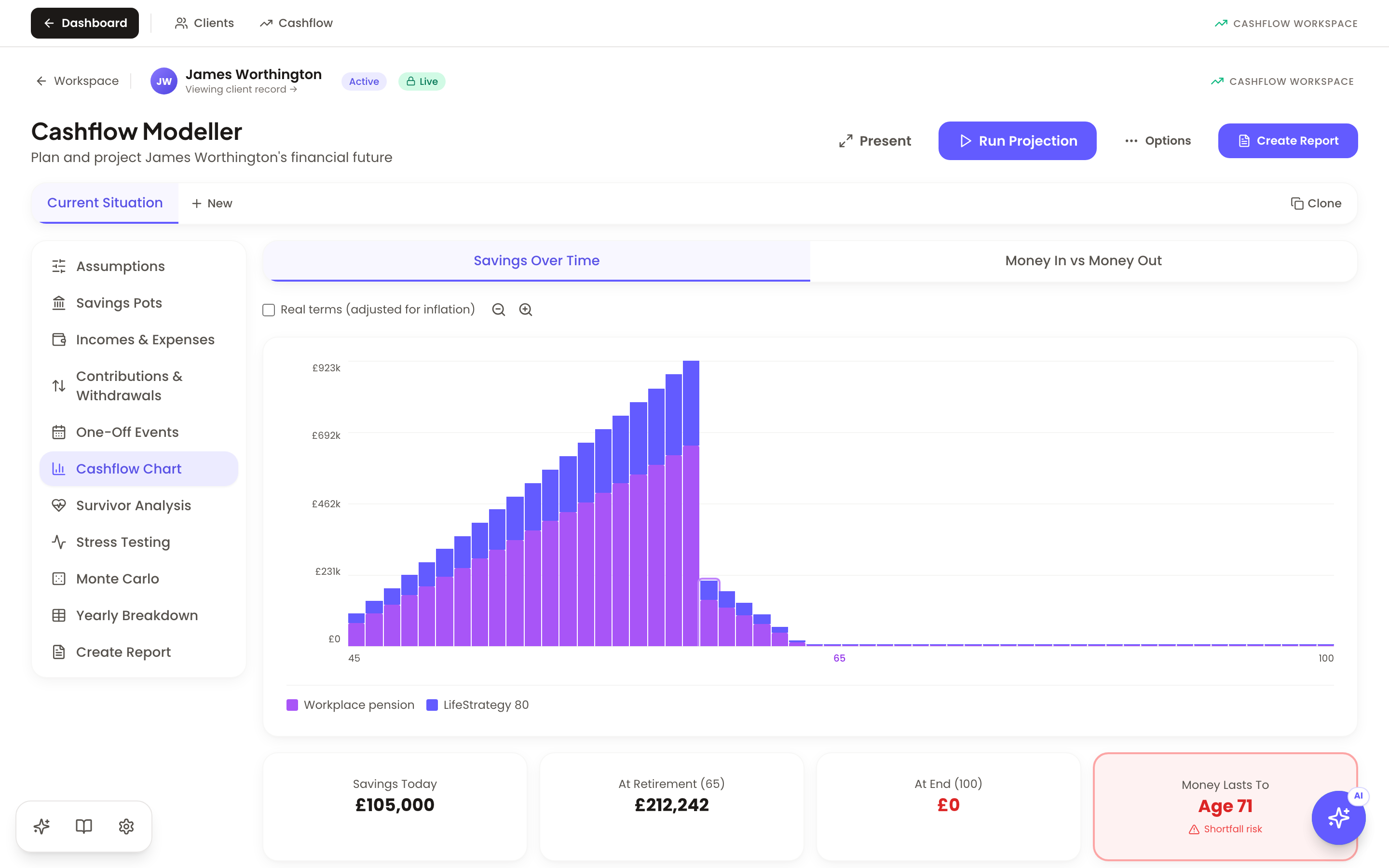
Cashflow projections, calculators and scenario modelling draw on the client record and your planning assumptions. Explore drawdown, crystallisation and gifting, then review the results before sharing a report.

Bloom's cashflow modeller — a real savings-over-time projection built from the client's live policy data

Fee income reconciled, not guessed

Sync or upload provider statements — AJ Bell, Transact and more. Bloom matches statement lines to clients and flags unmatched items for review, tracks expected vs received, and shows your income trend and reconciliation status in one view.

Prepare Consumer Duty MI and RMAR from your records

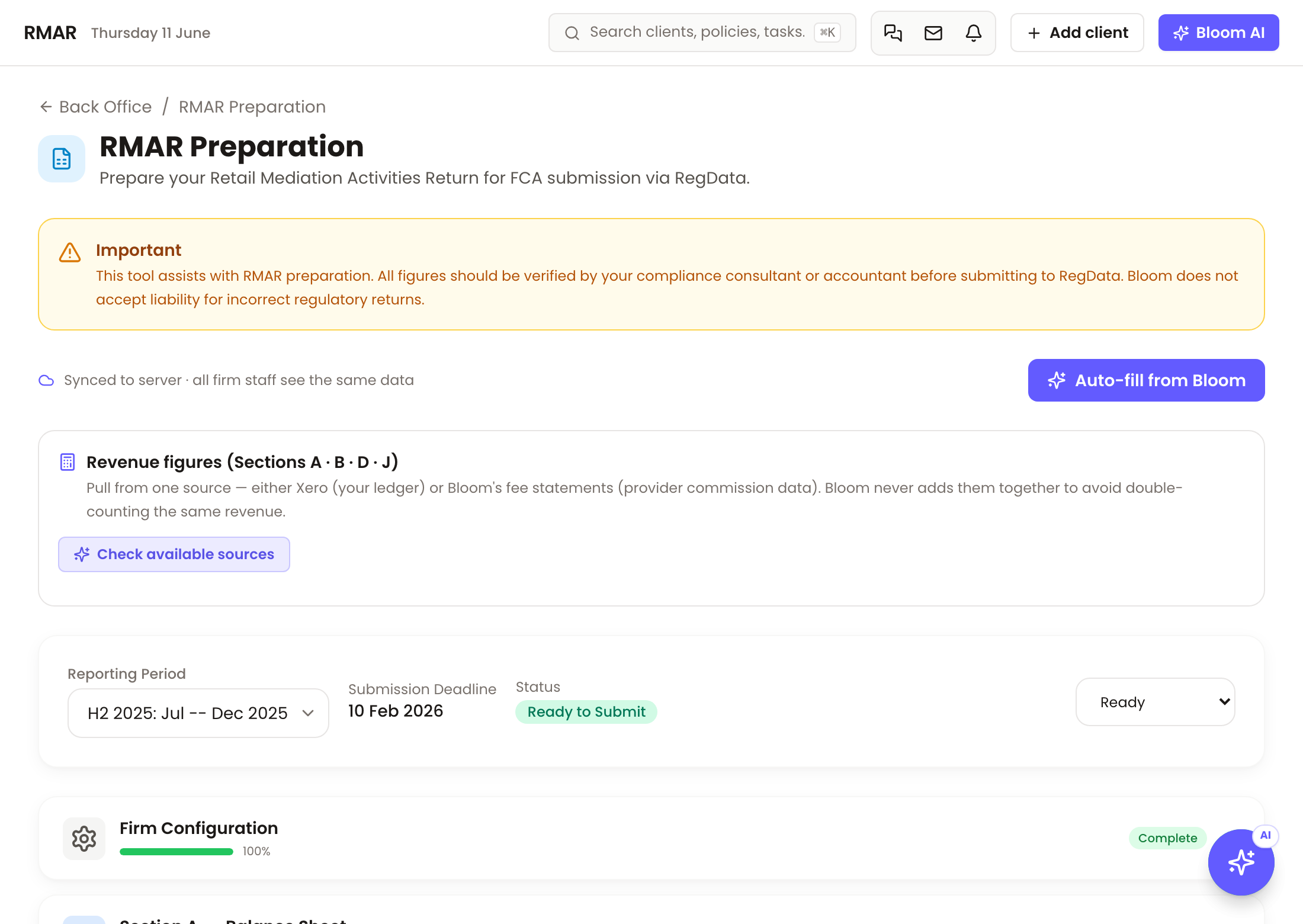
Fair-value, target market and vulnerability flags captured as you advise — not bolted on quarterly. Prepare RMAR figures for RegData and review Consumer Duty MI using your client and accounting records. Check the inputs and complete your regulatory submission separately.

Bloom's RMAR preparation view — revenue figures, reporting period and auto-fill from Bloom

Suitability drafts grounded in your client record

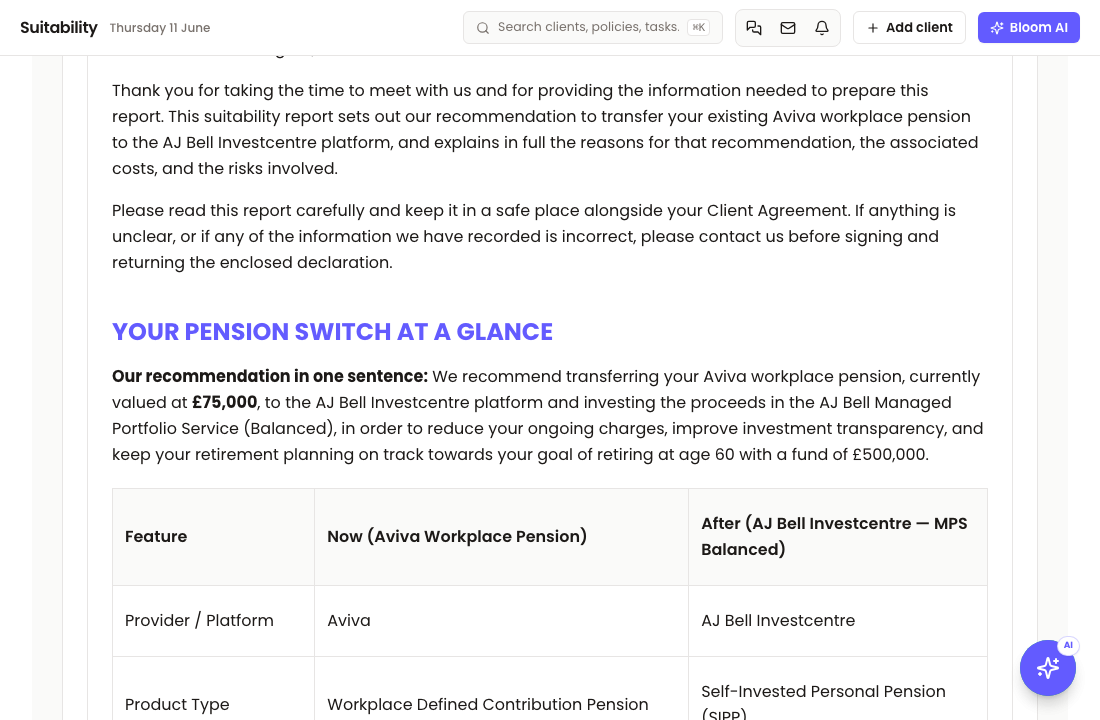
Draft a suitability report using the client's objectives, existing plans and your firm's fee structure. Financial tables use calculated values; recognised missing inputs are highlighted for review. AI-generated prose and compliance pre-checks support your work, but the adviser must verify the figures, reasoning and suitability before sharing.
A Bloom suitability letter mid-draft — Now vs After comparison table with unconfirmed values flagged in red
A connected workspace

Plan and review from a shared client record.

Bring fact-find information, valuations, meetings and compliance work together. Check source records and assumptions as you prepare advice, with an audit trail for your team.

Meeting to model

Your client meeting becomes the plan — with their words kept.

Bloom's notetaker joins your Zoom, Teams or Meet call. Afterwards, Bloom proposes the facts it heard — incomes, pensions, goals, and the soft facts that explain what the money is for — each with the client's exact words attached. Extracted meeting facts are proposed for your approval before being applied.

1 · Record

Add the notetaker to any video call from the meeting screen. It records, transcribes, and files the note against the client.

2 · Approve

Every extracted fact arrives un-ticked, alongside the transcript quote that triggered it. You tick what's right — selected meeting facts are applied only after your approval.

3 · Advise

Approved facts flow to the fact-find and cashflow, and suitability reports quote the client's own words — “you told us…” — with the source meeting and date on file.

bloomflow.app/suitability-letter

Connect supported platforms and everyday tools

Platform feeds · provider access and setup required

Email, scheduling and meeting capture

Gmail
Gmail
Outlook
Outlook
Calendly
Calendly
Zoom
Zoom via Recall
Who it's for

Built for independent advisers and growing firms.

One platform, priced per adviser — with free admin and paraplanner seats.

Solo

Independent financial advisers

Replace a three-tool stack with one system. Run your practice, advise your clients, publish branded suitability reports, and claim your time back.

Illustrative practice metrics
Active clients84
AUA£42.8m
Reviews completed12
Recurring fees£14,620
Firm

Growing advice firms with paraplanners

Delegate safely. Role-aware visibility means paraplanners and directors see everything, advisers see their own clients, and compliance has the audit trail it needs.

Example firm · 3 seats
Alex · OwnerAll clients
Jamie · AdviserOwn only
Sam · ParaplannerAll clients
Sign-offs YTD41 complete
Why Bloom

Your core practice tools, in one subscription.

£99 per adviser per month, with free admin and paraplanner seats. External provider services may require their own accounts, licences or setup.

CapabilityBloom
CRM & client recordsIncluded
Cashflow modelling & calculatorsBuilt in
Suitability reportsBuilt in
RMAR preparation & Consumer Duty MIBuilt in
Client portalIncluded
Protection comparison connectionsIncluded
Shared client recordOne client record
What it costs£99 / adviser / monthBloom subscription; external licences may apply
Admin & paraplanner seatsAlways free

Compare the subscription with your own costs using our ROI calculator. See pricing and trial details. Provider availability and licensing vary by integration.

Explore the product

Read the documentation overview or talk to us about your firm's requirements.

Bring your practice together.

Free 14-day trial. No credit card required. Contact us to discuss your migration requirements before moving your records.